
This is the shortest path from nothing to a working cloud connection: create and verify your account, choose your service and place an order, let Tata Communications provision the connection while you make the matching request on the cloud side, then find and validate the service in the TCx Portal.
What this page is
A single, end-to-end view of getting your first connection live, assuming you are starting fresh. Each step links to the section that covers it in depth, so you can follow the happy path here and drill in only where you need to
Prerequisites
Have ready: An official work email address (public domains such as Gmail, Hotmail and Yahoo are not accepted); your company registration details (customers in India: your GSTIN; international customers: your registered company name and address); and access to your target cloud provider’s console for the cloud-side request.
The five steps
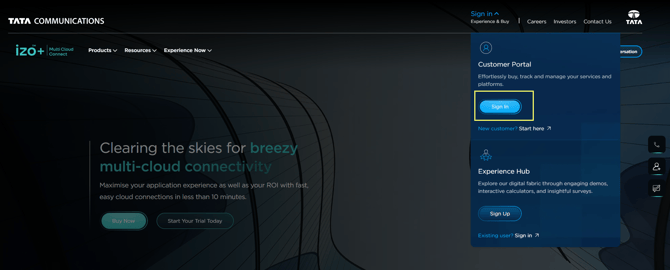
1. Create your account and sign in.
Register on the TCx Portal with your official work email and verify it by one-time password (OTP). Then complete your company and KYC details - select your industry, and either look up your company name and pick your registered address (international customers) or enter your company name and GSTIN so the address is filled in automatically (customers in India). Set a password that meets the on-screen guidelines and accept the terms. You are then signed in and taken to the Service Offerings page. Checkout is enabled once Tata Communications has verified your details; the customer success team may contact you to complete verification. Full details are available at Account Setup.
2. Choose your service and shape the order.
Decide between IZO™+ Multi Cloud Connect Direct (a private connection) and IZO™+ Multi Cloud Connect Flex (an internet underlay secured by encryption), pick your target cloud and location, and set the bandwidth. If you are unsure which model or deployment fits, see Choosing a Deployment Scenario.
3. Place the order and get verified.
Configure the order in the portal and submit it. Checkout is enabled once your details are verified; for the full ordering flow, see Placing Your First IZO™+ Multi Cloud Connect Direct Order or Placing Your First IZO™+ Multi Cloud Connect Flex Order.
4. Provisioning and the cloud-side request.
Tata Communications provisions the connection on its side. In parallel, the connection at the cloud end is created in your cloud provider’s console; for the exact request and routing, see the relevant per-cloud section under IZO™+ Multi Cloud Connect Direct or Flex ordering flows.
5. Find and validate the service.
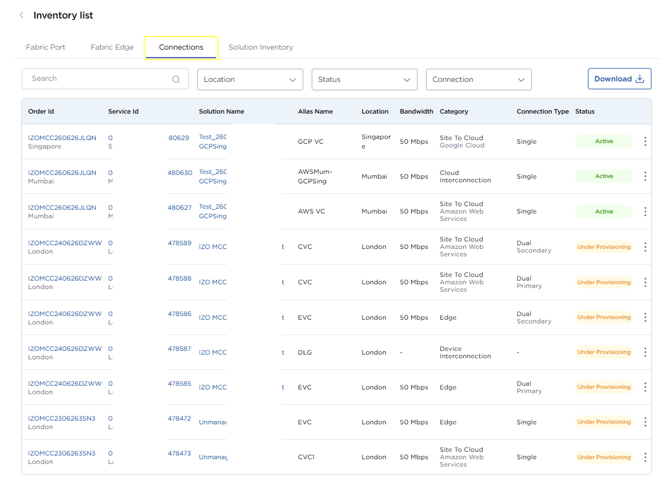
Once provisioned, the service appears in Inventory in the TCx Portal, where you can view it, check its details and raise change requests against it.
What’s on the cloud side
The cloud connection at the far end is created in the cloud provider’s console. This page covers the overall path on the Tata Communications side; for the cloud-side connection request and routing, see the relevant per-cloud section in solution wise ordering.